

Adding new pages and Blog
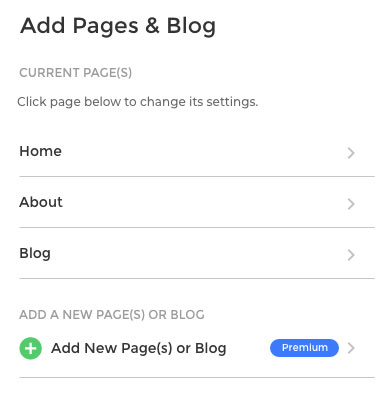
Click Add pages & blog
You can add a new page or a blog with just a few clicks.
Home page settings
You can edit the page Title and Meta description and DELETE an added page. This can be access by clicking from the home screen of the editor;
- Add pages & blog
- Clicking on page you want to edit

Choose to add a new page or blog
Simple to add a new page or click Add a blog to create a blog on your website.
Once you have typed your new page name and hit the green button CREATE NEW PAGE you will then be automatically taken to your new page ready to edit it.
It will be a duplication of the page you selected to duplication.

Adding a Blog
Simple to add a new page or click Add a blog to create a blog on your website. All in one screen you can create your first blog post.

Blog main page
Here is the design for the main blog page which displays all your blog posts.

Blog Post
Here is the design for a blog post.
